Table of Contents
1. Purpose
2. Scope
3. Procedure
Step 1 - Locating the order on BashAdmin
Step 2 - Item selection
Step 3 - Select the collection and delivery address
Step 4 - Submit the return
4. Review and revision history
5. Attachments/Appendices
1. Purpose
This SOP outlines the procedure for logging a return collection via BashAdmin.
2. Scope
This SOP covers the collection booking process for JD Sports returns. This process is followed for all collection booking, excluding the following:
Rebooking failed collections
3. Procedure
Step 1 - Locating the order on BashAdmin
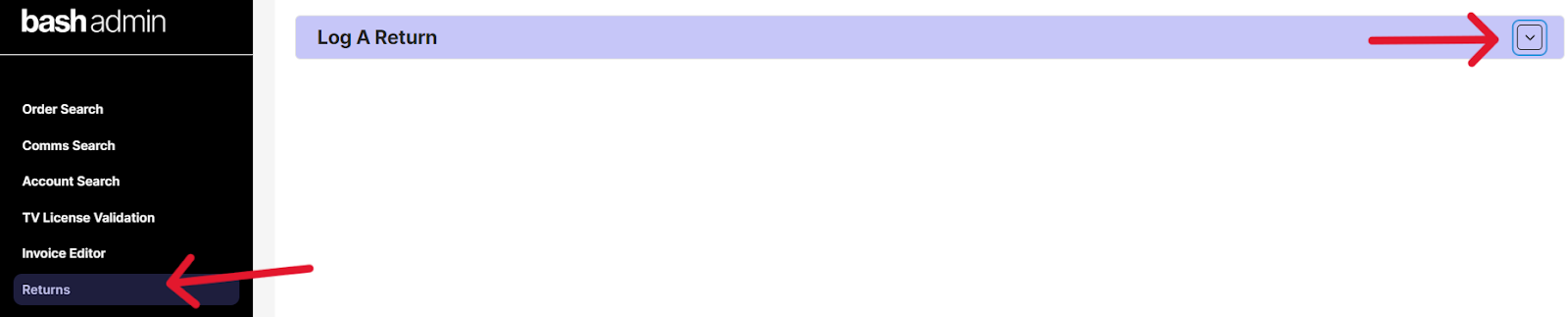
1.1) Select the “Returns” option on BashAdmin and then click on the “Log a return” dropdown (see annexure A)
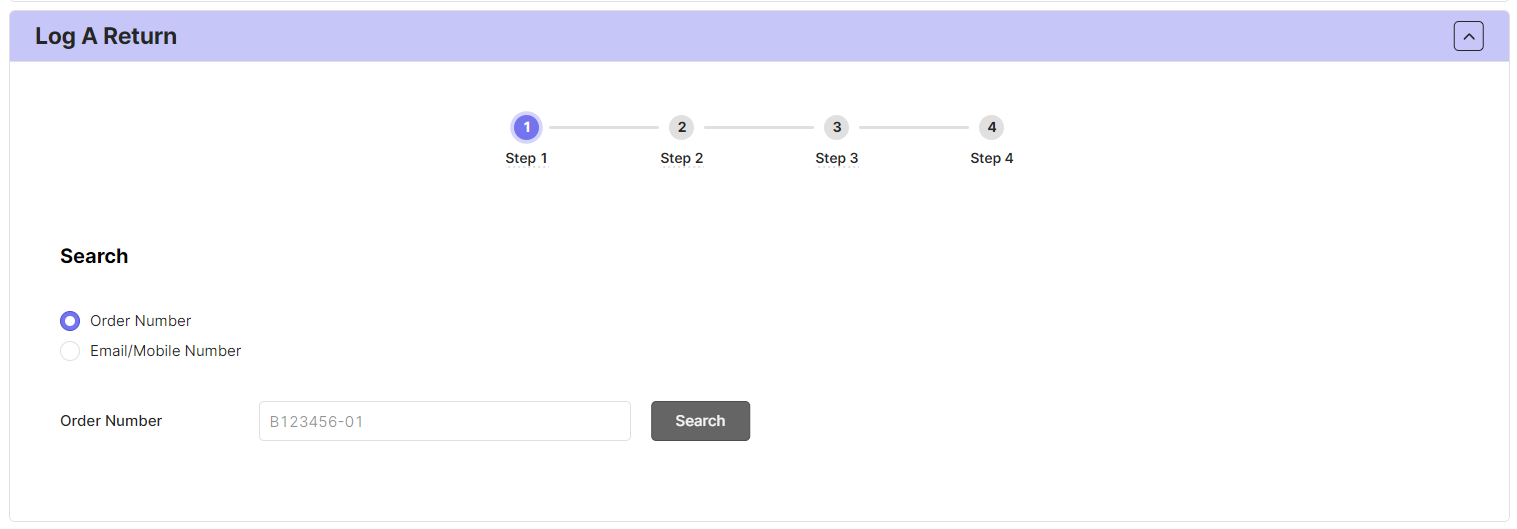
1.2) Conduct a search using the customer's order number, email address or cell number on Bash Admin Returns(see annexure B)
Step 2 - Item selection
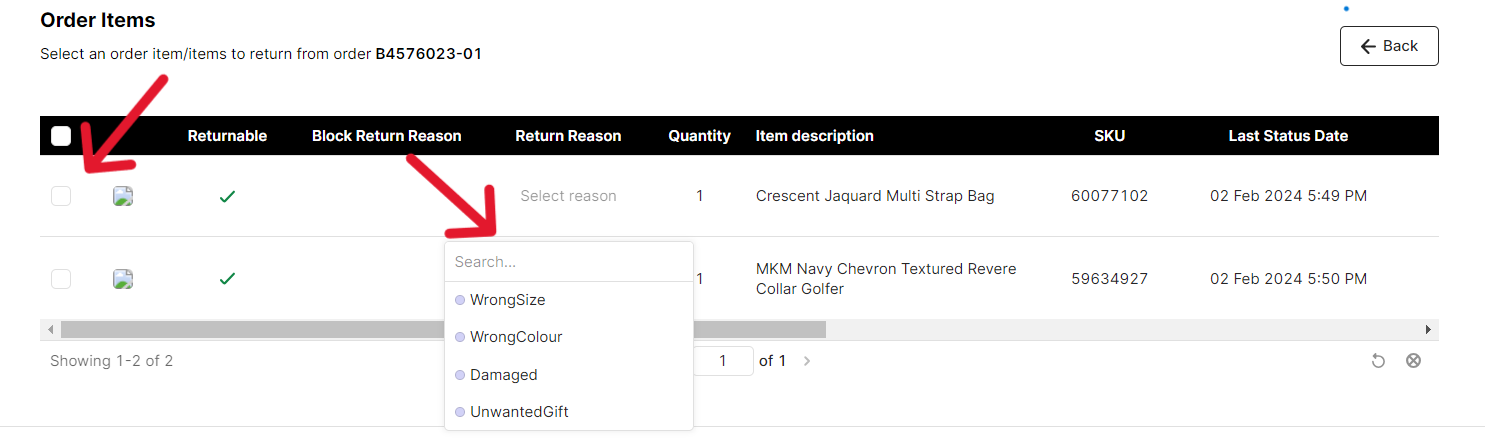
2.1) Select the item/s that need to be returned as well as the return reason (see annexure C). If the customer is returning items from different orders, a separate collection will need to be booked for items from a different order)
2.2) If we are unable to select the item, this may mean that the return falls outside of the scope for this SOP and the return collection requires a specialised process or a manual collection needs to be booked. The Manual Return Collection Booking SOP needs to be followed if one of the following applies:
Rebooking of failed collections
BashAdmin Returns is down (a lead has redirected agents to make use of the manual collection process)
Step 3 - Select the collection and delivery address
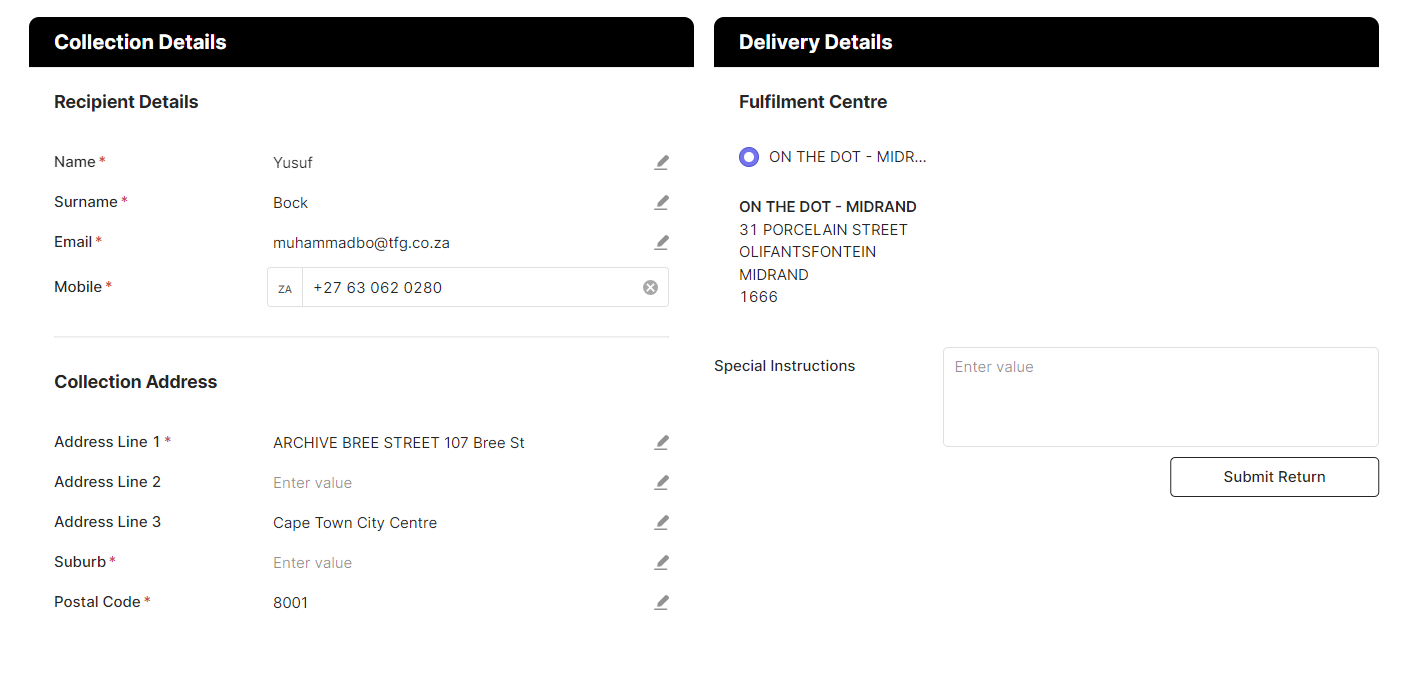
3.1) Choose or add the address the customer confirmed for the return collection. The delivery address will appear automatically. If the collection address is the same as the delivery address, simply select it (see Annexure D).
Step 4 - Submit the return
4.1) You can now select the “Submit return” option at the bottom of the page.
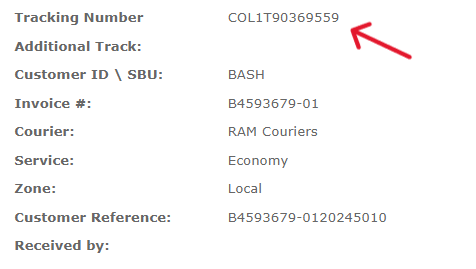
4.2) Once the return has been submitted. we can then conduct a search using the order number on M24 Tracking to get the collection reference number, starting with COL (See annexure E). This can also be seen under the returns tab on BashAdmin.
4. Review and Revision History
[Document any changes made to the SOP, including the date of revision, a brief description of the change, and the name of the person making the revision.]
Annexure A:
Annexure B:
Annexure C:
Annexure D:
Annexure E:
Note:
This SOP is a living document and should be reviewed and updated regularly to ensure accuracy and relevance.
All employees involved in the process should be familiar with and adhere to this SOP.
Was this article helpful?
That’s Great!
Thank you for your feedback
Sorry! We couldn't be helpful
Thank you for your feedback
Feedback sent
We appreciate your effort and will try to fix the article